Cleaning Website Design: 10 Must-Haves That Turn Visitors Into Bookings
Customers hire a cleaner to enter their home or office. That takes trust, and your website is often the first place they decide whether you deserve it. Good cleaning website design does three things: it builds trust fast, shows your services clearly, and makes booking effortless.
I’m Rasel Kabir, a freelance web designer with 11+ years of experience and 200+ projects on Squarespace, WordPress, and Wix. The principles below are the ones I apply to every service-business website. Use this guide to design a cleaning website that gets quote requests, not just visits.
What Makes Good Cleaning Website Design?
A cleaning website has one job: get a visitor to request a quote or book a clean. To do that, it needs to:
- Build trust quickly. People want to know you’re reliable, insured, and safe to let in.
- Make your services obvious. Visitors should understand what you offer in seconds.
- Remove friction. Booking or asking for a quote should take less than a minute.
Everything below supports one of these three goals.
10 Must-Have Elements of Cleaning Website Design
1. A Clear Headline and Button Above the Fold
The top of your homepage should say what you do, where, and what to do next. For example: “Reliable Home Cleaning in [City]. Get Your Free Quote Today.” Add a bold button, such as “Get a Free Quote” or “Book a Clean”, so visitors don’t have to hunt for it.
2. A Short Quote or Booking Form
Long forms lose leads. Ask only what you need: name, phone or email, service type, and ZIP or postcode. You can collect details like home size after the first contact. Place the form on your homepage and on every service page.
3. Trust Signals Near the Top
Cleaning is a trust business, so show proof early:
- “Insured” and “bonded” badges, if they apply in your country
- Background-checked staff
- A satisfaction guarantee
- Star ratings from Google reviews
4. A Separate Page for Each Service
Don’t squeeze everything onto one page. Give standard cleaning, deep cleaning, move-in/move-out, office cleaning, and any specialty services their own pages. Each page can explain what’s included, who it’s for, and how to book. This also helps your SEO, because each page can rank for a different search.
5. Clear Pricing Information
Visitors leave when they can’t find any hint of cost. You don’t have to list exact prices. A “how our pricing works” section explains what affects the cost (home size, frequency, add-ons) and sets expectations. If you do publish starting prices, say what they include.
6. Service Area Information
Most cleaning businesses serve specific locations, so say where. List the cities or neighborhoods you cover on your homepage, and consider a page for each major area. Visitors want to know right away whether you serve them, and Google uses this information for local searches.
7. Real Photos, Not Stock Images
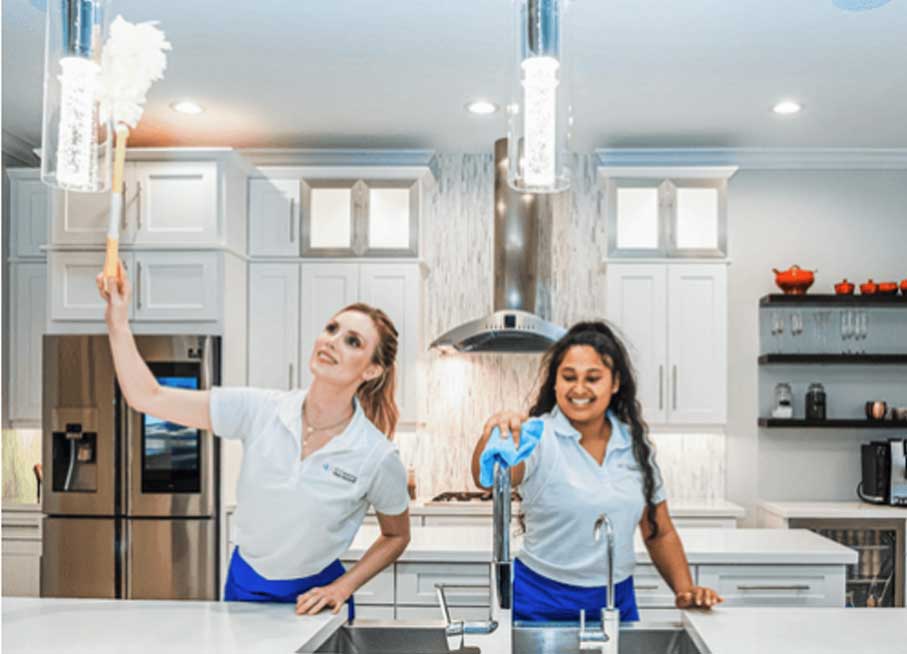
Stock photos of smiling cleaners feel generic. Use real photos of your team, your equipment, and your finished work. Before-and-after photos are especially strong because they show results, not just promises.
8. Reviews and Testimonials
Display real reviews on your homepage and service pages. Include the customer’s first name and, if possible, their neighborhood. Embedding your Google reviews adds credibility, and a few short, specific quotes work better than long paragraphs.
9. Mobile-First Design and Fast Loading
Many people look for a cleaner on their phone, often in a hurry. Your site should load quickly, have large tap-friendly buttons, and include a click-to-call button that stays visible as visitors scroll. See my guide to optimizing a Squarespace website for mobile for more.
10. An About Section and FAQs
People are letting you into their home, so they want to know who you are. Introduce your team, explain how you hire and train, and show your process or checklist. Then add an FAQ answering common worries: Do I need to be home? What products do you use? What if I’m not satisfied?
The Pages Your Cleaning Website Needs
| Page | Purpose |
|---|---|
| Home | Explain what you do, show trust signals, and push visitors to request a quote |
| Services | Overview of everything you offer, linking to each service page |
| Individual service pages | Detail one service each and rank for specific searches |
| Pricing or “How it works” | Set expectations about cost and the booking process |
| Service areas | Show where you work |
| About / Our team | Build trust with real people and your story |
| Reviews | Collect social proof in one place |
| FAQ | Answer objections before visitors have to ask |
| Contact / Book | Make the next step simple |
Residential vs Commercial Cleaning Website Design
The best design depends on who you serve.
| Residential | Commercial | |
|---|---|---|
| Tone | Warm, friendly, personal | Professional, reliable, corporate |
| Main goal | Online quote or booking | Request a walkthrough or proposal |
| Key trust signals | Reviews, background checks, guarantee | Insurance, references, case studies |
| Photos | Homes, team, before-and-after | Offices, teams in uniform, equipment |
If you do both, give each audience its own section or page so neither feels like an afterthought.
SEO for Cleaning Websites
Most customers search locally, with terms like “house cleaning near me” or “office cleaning in [city]”. These steps help:
- Set up your Google Business Profile. It’s one of the biggest factors for local visibility. If you’re not showing up, read my guide on why your business isn’t showing on Google Maps.
- Use your location in titles and headings. For example, “Deep Cleaning in [City]”.
- Keep your name, address, and phone number consistent everywhere online.
- Collect reviews regularly, and reply to them.
- Publish helpful content, such as cleaning checklists, move-out tips, or “how often should you deep clean?” That brings in people who aren’t yet looking to hire.
If you’d like help, take a look at my Squarespace SEO service.
The Best Platform for Cleaning Website Design
All three of these work well. The right one depends on how you run your business:
- Squarespace: Clean, professional design with little maintenance, and a good fit if you want a polished site that’s easy to update. It works well with booking tools, and my guide to scheduling apps for small business can help you choose one. See my Squarespace web design service.
- Wix: Fast to set up, with built-in booking and form features. See my Wix web design service.
- WordPress: The most flexible option, best if you want many service-area pages, custom quote calculators, or advanced features. See my WordPress web design service.
If you’re not sure which to choose, start with how you want customers to book, because that usually decides it.
Cleaning Website Design Mistakes to Avoid
- Hiding the quote button. If visitors can’t find it in a few seconds, they’ll go to a competitor.
- Using only stock photos. They make your business feel anonymous.
- Long, complicated forms. Every extra field lowers the number of enquiries.
- No reviews or proof. Without them, visitors have no reason to trust you.
- Ignoring mobile. A site that’s hard to use on a phone loses jobs.
- One page for everything. It limits your SEO and confuses visitors.
- Never updating the site. Old prices, broken links, and outdated photos make a business look inactive.
Cleaning Website Design FAQs
At minimum: Home, Services, a page for each main service, About, Reviews, FAQ, and Contact or Book. Add Service Areas and Pricing if you can.
It depends on the platform, the number of pages, and features like online booking. You’ll pay for the design project plus ongoing costs, such as your website platform subscription and domain. Always get a clear scope before you agree on a price.
Squarespace for polished simplicity, Wix for quick setup and built-in booking, and WordPress for maximum flexibility and many location pages.
You don’t have to show exact prices, but you should explain how pricing works. Starting prices or “from” rates can attract better-qualified leads and reduce time wasted on mismatched quotes.
Make the quote button obvious, keep the form short, show reviews and trust signals, set up your Google Business Profile, and create pages for your services and areas.
A simple site can take a couple of weeks, depending on how quickly you provide your photos, text, and approvals. A larger site with many service pages takes longer.
Great cleaning website design isn’t about fancy effects. It’s about trust, clarity, and an easy path to booking. Build around those three, show real proof, and make your quote button impossible to miss.
Want a cleaning website that brings in bookings? I design custom Squarespace, WordPress, and Wix websites for service businesses, with SEO built in. Book a free call to talk about your project, or browse my portfolio.