Website Migration Services
Professional Website Migration for WordPress, Squarespace & Wix
Move Your Website Without Losing What Matters
Moving to a new website platform shouldn’t mean starting from scratch or losing what already works. Whether you’re switching to WordPress, Squarespace, or Wix, I’ll help move your website while keeping its important content, design elements, functionality, and SEO settings in place.
From migrating pages and blog posts to setting up redirects and testing the new website, I take care of the details to make the transition as smooth as possible.
What’s Included in My Website Migration Service?
- Platform-to-Platform Migration: Move your website between WordPress, Squarespace, and Wix.
- Content & Page Migration: Transfer existing pages, text, images, and other website content.
- Website Design Recreation: Recreate the existing design or give it a fresh, updated look.
- Blog Migration: Move blog posts, categories, tags, and relevant images.
- Functionality Setup: Configure contact forms, navigation, links, and essential website features.
- SEO Preservation: Retain important page titles, meta descriptions, image alt text, and URL structures where possible.
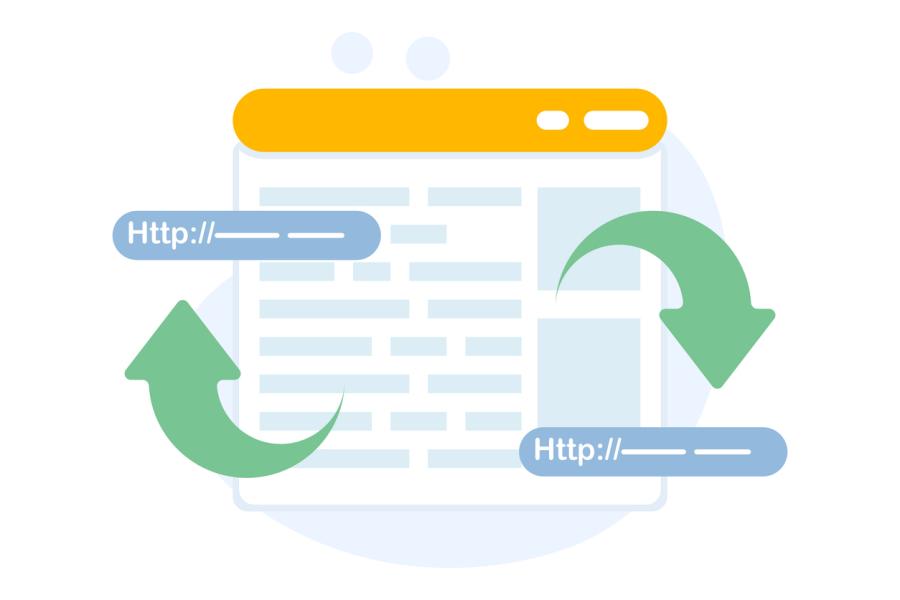
- 301 Redirect Setup: Redirect old URLs to their new locations to help protect existing search traffic.
- Mobile Responsiveness: Make sure the migrated website works smoothly across desktop, tablet, and mobile devices.
- Domain & DNS Assistance: Help connect your domain and configure the necessary DNS settings.
- Website Testing: Review pages, links, forms, navigation, and functionality before launch.
Whether you’re moving an entire website to a new platform or transferring selected pages and content, I’ll help make the process easier, with careful attention to the details that matter.


When Do You Need Website Migration?
If your current website is difficult to manage, outdated, slow, or no longer meets your business needs, moving to a new platform could be the right solution. Website migration can help you get a fresh design, better functionality, easier content management, and more flexibility as your business grows. Whether you’re planning a move from WordPress, Squarespace, or Wix, I’ll help you find the right approach for your website.
Website Migration Services for Different Needs
Every website has different requirements, and the right migration approach depends on your current platform and business goals. Whether you’re moving to a new website builder, changing domains, or upgrading an existing website, I can help make the transition easier.
WordPress Website Migration
Move your existing WordPress website to another platform or transfer it to a new WordPress installation while keeping important pages, images, blog posts, and functionality.
Squarespace Website Migration
Move your existing WordPress website to another platform or transfer it to a new WordPress installation while keeping important pages, images, blog posts, and functionality.
Wix Website Migration
Rebuild or transfer your Wix website to another platform while maintaining its content, visual elements, and important website features.
Domain & URL Migration
Changing your domain name or website URLs? I’ll help update website addresses, configure 301 redirects, and preserve important SEO elements.
Website Redesign & Structure Migration
Give your existing website a fresh look with an improved layout, updated page structure, and a more user-friendly experience while retaining valuable content.
Website Content Migration
Transfer selected pages, blog posts, images, and other website content to a new platform without rebuilding everything manually.
SEO-Friendly Website Migration
Changing website platforms or redesigning an existing website shouldn’t come at the expense of search engine visibility. During a website migration, important URLs, page content, internal links, and SEO settings need careful attention to help maintain your existing search presence.
I take SEO into account throughout the migration process, from reviewing your current website to checking redirects and on-page SEO elements before launch. This helps reduce avoidable SEO issues and gives search engines a clearer path to understanding the updated website.
What’s Included in My SEO Migration Service?
- Website URL Audit: Review existing URLs and identify important pages before migration.
- SEO Performance Review: Record available organic traffic, keyword rankings, and search visibility for comparison.
- 301 Redirect Mapping: Create appropriate redirects for URLs that change during migration.
- Internal Link Updates: Check and update internal links to point to the correct pages.
- Meta Data Preservation: Retain or improve important SEO titles and meta descriptions.
- Canonical Tag Review: Check canonical URLs to help search engines identify the preferred version of each page.
- Duplicate Content Checks: Identify unnecessary duplicate pages and content issues.
- Image SEO: Preserve relevant image alt text and optimize image information where needed.
- XML Sitemap & Robots.txt: Review sitemap and crawling settings after migration.
- Search Console Verification: Check the new website in Google Search Console and review indexing-related issues.
- Post-Migration SEO Checks: Monitor important pages, redirects, and indexing signals after launch.
My focus is to make sure important SEO elements aren’t overlooked when your website changes. While no migration can guarantee unchanged rankings, careful preparation and testing can help reduce unnecessary search visibility losses.