How to Choose a Squarespace Web Designer for a Small Business.
Choosing the right Squarespace website designer is an important decision for any small business. Your website helps potential customers understand your services, learn about your brand, and decide whether they want to work with you. A professional and Modern website can also make it easier for people to contact you, book appointments, or purchase your products.
Squarespace is a popular option for small businesses because it offers website building tools, customizable designs, and features for managing content. However, creating a website that looks attractive and supports your business goals takes more than choosing a template.
Hiring the right Squarespace web designer can help you build a website that reflects your brand, provides a positive user experience, and supports your marketing efforts.
In this guide, you will learn how to choose a Squarespace web designer for your small business, what skills to look for, which questions to ask, and how to make a confident hiring decision.
1. Understand Your Business Website Needs
Before searching for a web designer, take some time to understand what you want your website to achieve. This will help you find someone whose experience matches your requirements.
For example, a consultant may need a professional website that explains their services and encourages visitors to book a consultation. An online store may need product pages, payment options, and an easy checkout process.
Start by answering these questions:
- What is the primary purpose of your website?
- Who are your ideal customers?
- Which pages do you need?
- Do you need appointment booking or payment functionality?
- Will you publish blog posts regularly?
- Do you need help with website content and SEO?
Write down your requirements before contacting designers. A clear project brief helps you receive more accurate quotes and reduces confusion during development.
2. Review Their Squarespace Portfolio
A web designer’s portfolio is one of the best ways to evaluate their experience. It shows you the quality of their work and whether their design approach matches your expectations.
When reviewing a portfolio, do not focus only on screenshots. Visit the actual websites and explore how they work.
Look for these important qualities:
- Clean layouts and consistent branding.
- Clear navigation and readable content.
- Mobile-friendly page layouts.
- Visible calls to action.
- Professional images and typography.
- Contact forms and other required features.
Consider whether the websites communicate each business’s services clearly. A beautiful website is valuable, but it should also help visitors understand what the business offers and what they should do next.
If possible, look for examples from businesses similar to yours. A designer who understands service-based businesses may be particularly helpful if you are a coach, consultant, therapist, or independent professional.
3. Choose a Designer With Strong Squarespace Experience
Not every website designer has the same level of experience with Squarespace. Some mainly work with WordPress, while others specialize in Squarespace design and development.
A dedicated Squarespace web designer should understand the platform’s editing tools, responsive layouts, built-in features, and customization options.
Depending on your project, useful skills may include:
- Squarespace website setup and customization.
- Squarespace 7.1 and Fluid Engine layouts.
- Custom CSS for design adjustments.
- Contact forms and appointment booking.
- E-commerce setup and payment integration.
- Website migration and redesign.
- Basic on-page SEO.
- Domain connection and launch support.
Ask the designer which parts of your project they can handle directly. If your website requires a specialized integration or custom functionality, confirm that they have relevant experience before hiring them.
The goal is to find someone who understands both the platform and your business requirements.
4. Check Their SEO Knowledge
A website can look professional and still struggle to attract visitors from Google. This is why SEO should be part of your website planning process.
When choosing a Squarespace web designer for a small business, ask how they approach the basic SEO setup.
A knowledgeable designer should understand how to configure important elements such as:
- Page titles and meta descriptions.
- Heading structure.
- Descriptive URLs.
- Image alt text.
- Internal links.
- XML sitemaps and search engine indexing.
- Mobile usability and page performance.
- Google Search Console setup or verification.
However, remember that website setup and ongoing SEO are different services. A designer can establish a good technical and on-page foundation, but achieving higher rankings may also require useful content, keyword research, relevant backlinks, and continued improvement.
Ask what is included in the project and whether ongoing SEO services are available separately. This will help you understand what to expect after launch.
5. Compare Pricing and Project Deliverables
Website design prices vary depending on the designer’s experience, project complexity, number of pages, and required functionality.
Instead of choosing the cheapest quote automatically, compare what each designer includes.
For example, one proposal may cover only a homepage and a few standard pages. Another may include custom layouts, mobile adjustments, contact forms, foundational SEO, and training.
Before accepting a proposal, ask for a clear breakdown of:
- Total project cost.
- Number of pages included.
- Design and revision process.
- Additional functionality costs.
- Payment schedule.
- Estimated completion date.
- Post-launch support.
Also, clarify whether the Squarespace subscription, domain registration, premium third-party tools, and other recurring expenses are included.
A transparent proposal makes it easier to compare designers fairly. It also helps prevent unexpected costs later.
6. Evaluate Communication and the Design Process
Good communication can make a website project much easier. You should feel comfortable discussing your ideas, asking questions, and requesting clarification.
During your initial conversation, notice whether the designer asks about your business goals, customers, competitors, and preferred style.
A reliable process will usually include several stages:
- Discovery: Discuss your business, audience, and website goals.
- Planning: Confirm the site structure, content, and required features.
- Design: Develop the page layouts and visual direction.
- Development: Build the website and configure its functionality.
- Review: Test the website and make agreed-upon revisions.
- Launch: Connect the domain, check essential settings, and publish the website.
The exact process will vary depending on the project. What matters is that you understand the steps, know when feedback is needed, and have a clear point of contact.
7. Make Sure the Website Works on Mobile
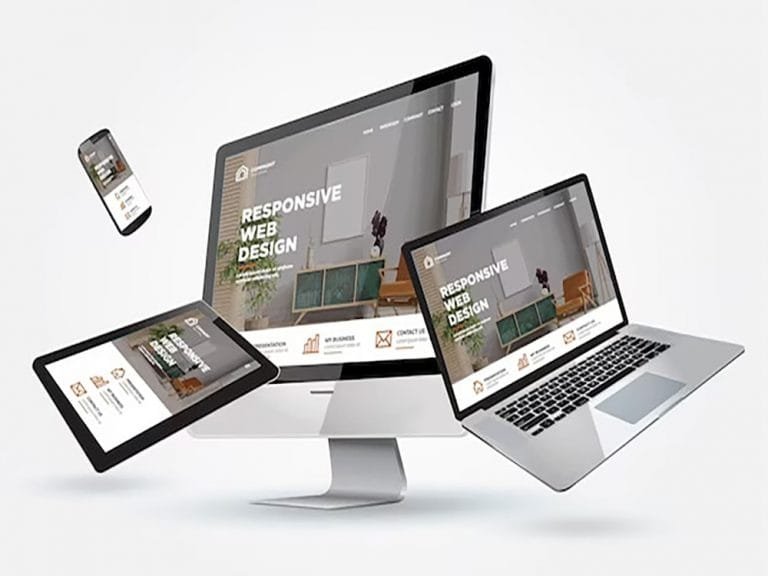
Many potential customers browse business websites on smartphones. If your website is difficult to use on a small screen, visitors may leave before learning about your services.
Ask your designer how they test responsive layouts across desktop, tablet, and mobile devices.
Pay attention to the following details:
- Text should be easy to read.
- Buttons should be easy to tap.
- Images should fit different screen sizes.
- Navigation should be simple.
- Forms should be easy to complete.
- Important information should not be hidden or cut off.
Do not assume that a website will work perfectly on mobile simply because it uses a responsive template. Custom layouts and content still need careful review.
8. Read Testimonials and Verify Previous Work
Client reviews can help you understand what it is like to work with a designer. Look for feedback about communication, reliability, attention to detail, problem-solving, and the final result.
Where possible, check reviews on independent platforms and confirm that portfolio projects are genuine.You can also ask a designer to explain their role in a previous project. This is particularly useful when a portfolio contains complex websites or impressive custom features.
Useful questions include:
- What was the client’s original problem?
- Which parts of the website did you create?
- What challenges did you solve?
- How did you handle feedback?
- What support did you provide after launch?
Look for evidence of a consistent working process rather than relying entirely on attractive screenshots or promotional claims.
9. Ask the Right Questions Before Hiring
Before making your final decision, arrange a consultation with your preferred designer.Prepare a few questions to understand their approach and determine whether they are a good fit for your project.
Here are seven questions worth asking:
- Have you designed Squarespace websites for businesses similar to mine?
- What is included in your website design package?
- How will you make the website mobile-friendly?
- Will you provide the basic SEO setup?
- How many revisions are included?
- What is the expected timeline?
- Will I be able to update the website myself after launch?
Pay attention to how clearly the designer answers. You should understand the scope, timeline, responsibilities, and expected outcome before agreeing to proceed.
10. Choose a Designer Who Understands Your Business Goals
The right web designer should do more than create attractive pages. They should understand what your business offers and how the website can support your goals.
For example, a website for a coach may need a clear introduction, service descriptions, testimonials, and a consultation booking option. A local service business may need prominent contact information, service-area details, and a simple inquiry form.
Your designer should help organize these elements so visitors can quickly understand your value.
Before hiring anyone, consider the overall fit. Does the designer understand your audience? Can they explain their recommendations? Do they communicate clearly? Is their proposal realistic?
Choose someone whose skills, process, and working style align with your needs.
Final Thoughts
Choosing the right Squarespace web designer can make a meaningful difference to your small business’s online presence. The best choice is not necessarily the designer with the lowest price or the most visually impressive portfolio.
Look for relevant experience, a clear process, strong communication, mobile-friendly design skills, and an understanding of SEO fundamentals. Compare project deliverables carefully and make sure you know what happens after launch.
Most importantly, choose a designer who takes the time to understand your business and build a website around your goals.
Need help with your Squarespace website?
I’m Rasel Kabir, a Squarespace web designer and developer offering website design, customization, redesign, and SEO-related services. If you are planning a new business website or want to improve your existing Squarespace site. Let’s discuss your project and find a practical way to bring your website vision to life.
Frequently Asked Questions
Review the designer’s portfolio, Squarespace experience, communication style, SEO knowledge, pricing, and project process. Choose someone who understands your business goals and can explain exactly what their service includes.
The price depends on the number of pages, level of customization, required functionality, and designer’s experience. Request a detailed quote that separates the design fee from subscription costs, third-party services, and optional ongoing support.
Squarespace can be suitable for many small businesses, including consultants, coaches, service providers, creative professionals, and smaller online stores. The best platform depends on your required features, budget, and plans for future growth.
Some designers include foundational SEO, such as page titles, meta descriptions, headings, image alt text, and indexing setup. Ongoing SEO, content creation, and link-building may be offered separately, so confirm the scope before hiring.
Yes. Squarespace provides editing tools that allow website owners to update text, images, blog posts, and other content. Ask your designer for a handover or training session so you can manage routine updates confidently.
A simple website may take a few days or several weeks, while larger projects with custom layouts, integrations, or e-commerce features can take longer. The timeline also depends on how quickly you provide content and feedback.
A freelancer may offer direct communication and a more flexible approach, while an agency may provide access to a broader team of specialists. Compare the experience, deliverables, budget, and support offered rather than choosing based on the business model alone.